
How to Set Up a Charging Station for All Your Devices at Home
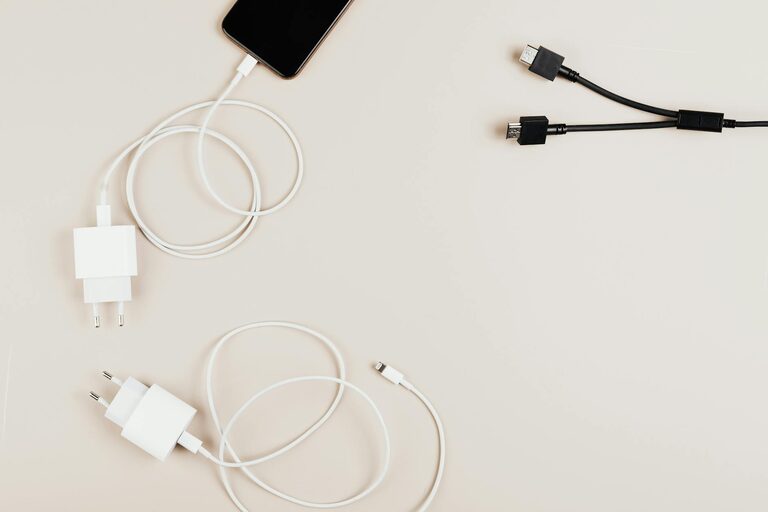
Setting up a dedicated charging station for your devices is a great way to keep your home or office organized and ensure your gadgets are always ready to go. With so many devices like smartphones, tablets, laptops, and wearables, cords and chargers can quickly become a tangled mess. In this guide, we’ll walk you through how to create a simple, efficient charging station that works for your needs.
Why Set Up a Charging Station?
Before diving into the setup, it helps to understand the benefits:
– Organization: Keeps cables and devices in one place, reducing clutter.
– Safety: Minimizes the risk of overheating and tripping over cords.
– Convenience: Makes charging devices quick and easy.
– Aesthetic appeal: Helps maintain a clean, tidy look in your space.
Step 1: Choose the Right Location
The first step is picking the ideal spot for your charging station. Consider these factors:
– Accessibility: Choose a place that all users can easily reach, such as a desk, kitchen counter, or nightstand.
– Power source: Ensure the location has nearby power outlets or the option to add a power strip safely.
– Ventilation: Avoid enclosed areas where devices could overheat while charging.
– Surface space: Make sure there’s enough room for the devices and accessories you plan to charge.
Step 2: Gather Your Supplies
Here’s what you’ll need to create your charging station:
– Charging cables: Collect the cables compatible with your devices (USB-C, Lightning, Micro USB, etc.).
– Charging adapters: If possible, use multi-port USB chargers or a charging hub to save outlets.
– Power strip or surge protector: Provides multiple outlets and protects your devices from power surges.
– Charging station organizer: This could be a dedicated charging dock, a small basket, a box, or a DIY solution.
– Cable organizers: Clips, ties, or sleeves help prevent tangles.
– Labels (optional): For identifying cables and ports.
Step 3: Select Your Charging Equipment
Choosing the right charging equipment depends on your devices and how many you need to charge at once.
– Multi-port USB chargers: Useful if you have several devices that use USB charging. They reduce the number of wall outlets needed.
– Wireless charging pads: A good option if your devices support wireless charging. Some pads can charge multiple devices simultaneously.
– Charging docks: Often designed for specific devices like smartphones or smartwatches; they keep devices secure and upright.
Step 4: Organize Your Cables
Cable clutter can spoil even the most organized station. Here are some tips to keep cables tidy:
– Use cable clips or holders: Attach these to the edge of the desk or inside drawers for easy cable access.
– Velcro ties or twist ties: Bundle excess cable length neatly.
– Label each cable: Especially helpful if you have many similar cables.
– Conceal cables: Route cables behind furniture or use cable sleeves for a cleaner look.
Step 5: Assemble Your Charging Station
Now it’s time to put everything together:
- **Place the power strip or charger:** Secure it near the chosen location.
- **Position your charging station organizer:** This will hold all devices and cables.
- **Plug in chargers or hubs:** Connect all charging adapters and hubs to the power strip.
- **Arrange cables:** Thread cables through organizers or clips.
- **Place devices:** Set your devices on the station and connect the charging cables.
- **Test:** Make sure each device charges properly and that cables reach comfortably.
Step 6: Maintain Your Charging Station
Keeping your station organized is an ongoing task. Here are a few maintenance ideas:
– Regular cable checks: Make sure cables are still in good condition and replace any frayed ones.
– Wipe down surfaces: Keep the area dust-free and clean.
– Rearrange as needed: Add or remove cables or chargers when your device collection changes.
– Monitor charging safety: Avoid overloading power strips and unplug devices once fully charged.
Extra Tips for a Successful Charging Station
– Prioritize fast chargers: Use chargers that provide fast charging compatible with your devices to save time.
– Consider USB-C hubs: USB-C hubs with multiple ports can charge several devices efficiently.
– Use device stands: Keep phones or tablets on stands for easier viewing while they charge.
– Keep spare cables handy: Store extras in a small container near the station.
Conclusion
A well-planned charging station helps reduce clutter, simplifies charging, and keeps your devices safe and ready to use. With just a bit of preparation and the right supplies, you can set up a convenient charging area tailored to your daily needs. Whether you’re charging a couple of devices or many, these strategies will help keep your space tidy and tech-ready.
Happy charging!